
Javascript Library
A ready to-go example is in this repository
Clone it to <Documents>/WLJS Notebooks/Extensions/ using:
git clone https://github.com/WLJSTeam/wljs-plugin-example-1Then restart WLJS Notebook.
Folder name of the extension must match with its unique name
Here is the simples example on what you can do with extensions. Why not to add ApexCharts? They looks beautiful and already animated. What we need
- Kernel package, which implements
ApexCharts[]symbols - Javascript bundle, which should include ApexCharts and bridge it with Wolfram Kernel using frontend symbols
Summary what will be done
- package for evaluation kernel, which adds a new symbol
ApexCharts - Javascript module, which renders the content of
ApexChartsexpression
Preparations
Use wljs-plugin-template template and create a new repository or use a ready-to-go example given in the heading of this tutorial.
Then edit the content of package.json
{
    "name": "wljs-plugin-example-1",
    "version": "0.0.1",
    "scripts": {
        "build": "node --max-old-space-size=8192 ./node_modules/.bin/rollup --config rollup.config.mjs"
    },
    "description": "An example plugin for WLJS Notebook. Library functions",
    "wljs-meta": {
        "kernel": [
            "src/Kernel.wl"
        ],
        "js": "dist/kernel.js",
        "minjs": "dist/kernel.min.js",
        "priority": 5000,
        "category": "Notebook Extensions"
    },
    "repository": {
        "type": "git",
        "url": "https://github.com/WLJSTeam/wljs-plugin-example-1"
    },
    "dependencies": {
        "@rollup/plugin-commonjs": "^25.0.4",
        "@rollup/plugin-json": "^6.0.0",
        "@rollup/plugin-node-resolve": "^15.2.1",
        "@rollup/plugin-terser": "^0.4.4",
        "rollup": "^3.21.6"
    }
}
By the default a template implies, that we will use rollup.js for bundling. Run in the root directory of this package
npm iAnd then install apexcharts
npm i apexchartsKernel package
Create a new file in src/Kernel.wl, which is going to be our package for evaluation kernel. Looking at ApexCharts API, it is easy to imagine the way how it can be used
ApexCharts[<|
    "series" -> {44, 55, 67, 83},
    "labels" -> {"Apples", "Oranges", "Bananas", "Berries"},
    "chart" -> <|
        "height" -> 350,
        "type" -> "radialBar"
    |>
|>]
or any other way, one can pre-transform the data and use intermediate symbols. Following the simplest path, we write to our Kernel file
BeginPackage["CoffeeLiqueur`Extensions`ApexCharts`"]

(* Public context *)

ApexCharts::usage = "ApexCharts[a_Association] constructor"

Begin["`Private`"]


End[]
EndPackage[]
Now we can think about ApexCharts as if it was a new entity, and the interpretation of this entity will be our graphs. To draw actual graphs instead of a symbolic representation we need to define an output form. For that ViewBox comes in hand, which is provided in ``CoffeeLiqueurExtensionsBoxes``` context. We define an internal symbol, that will be used for rendering:
BeginPackage["CoffeeLiqueur`Extensions`ApexCharts`", {
    "CoffeeLiqueur`Extensions`Boxes`"
}]

(* Public context *)

ApexCharts::usage = "ApexCharts[a_Association] constructor"

Begin["`Private`"]

(* Output forms *)

iApexCharts;

ApexCharts /: MakeBoxes[a: ApexCharts[data_Association], StandardForm ] := With[{},
    ViewBox[a, iApexCharts[data]]
]

End[]
EndPackage[]
First a will be an underlying expression (behind the graph), while iApexCharts is going to be rendered instead of it. However, if you try to evaluate this with defined output form, you get a similar error
BROKEN BOXViewBox tries to evaluate a non-existing frontend symbol iApexCharts or more specifically CoffeeLiqueur`Extensions`ApexCharts`Private`iApexCharts.
As a rule: do not expose internal symbols in packages to the public context
Javascript Library
Now we need to define iApexCharts symbol on the frontend. The idea is simple: take the provided data and using Apex API render a graph on the given DOM element. This DOM element will be provided by ViewBox behind the scenes
let ApexCharts;

core['CoffeeLiqueur`Extensions`ApexCharts`Private`iApexCharts'] = async (args, env) => {
    if (!ApexCharts) ApexCharts = (await import('apexcharts')).default; //lazy loading

    const options = await interpretate(args[0], env);
    const chart = new ApexCharts(env.element, options);
    chart.render();
}
Our association will be in options object after the interpretation.
Implement dynamic imports (lazy) if possible
Now we need to bundle this
npm run buildAfter the restart, it should work with our extension like a charm
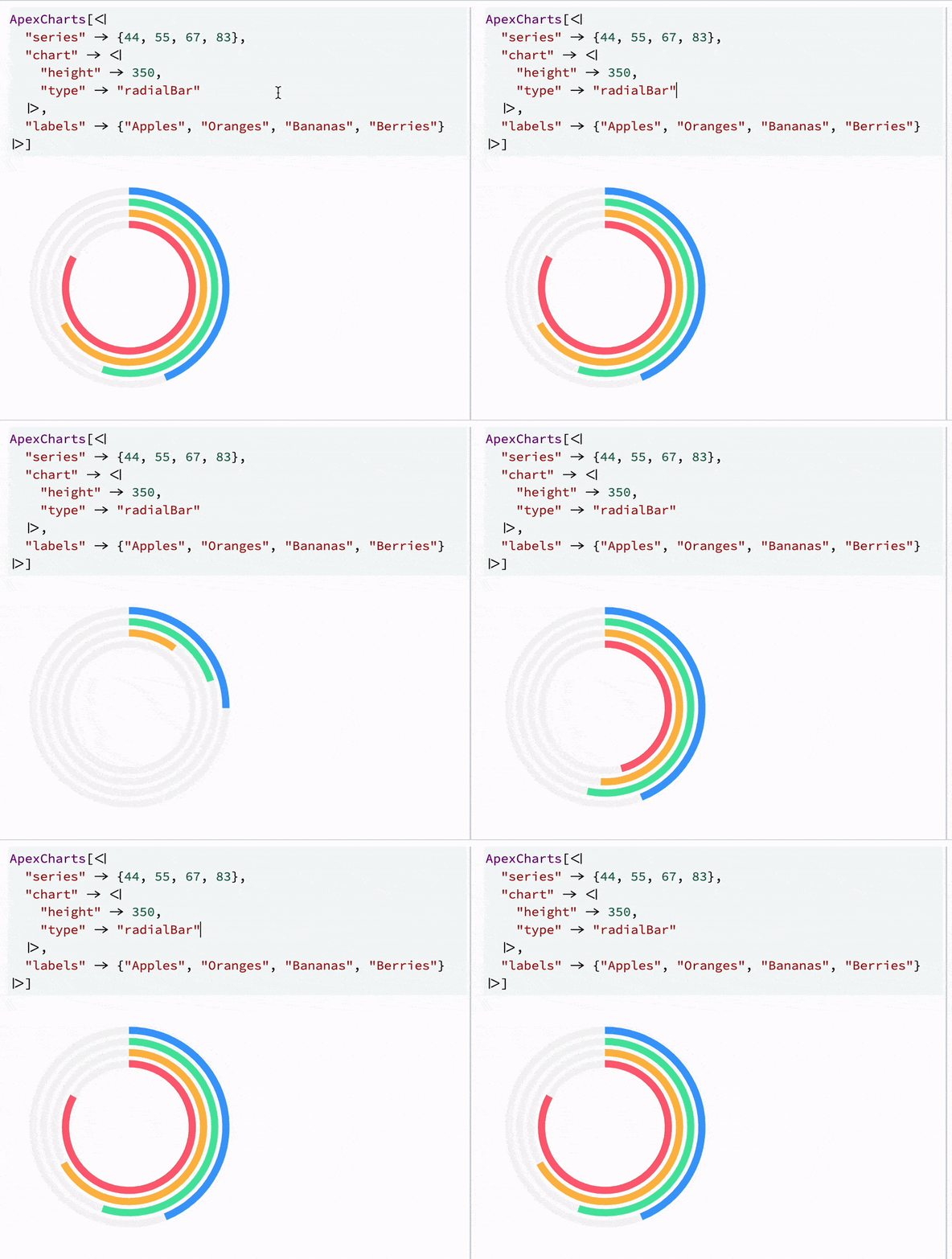
However, after several evaluation dead instances of ApexCharts will pile up as a garbage in Javascript memory. It is recommended to properly remove them. For that we need to identify each instance of ApexCharts and assign destructor function. We use instanced frontend symbools, which behave like classes
let ApexCharts;

const apex = async (args, env) => {
    if (!ApexCharts) ApexCharts = (await import('apexcharts')).default; //lazy loading

    const options = await interpretate(args[0], env);
    const chart = new ApexCharts(env.element, options);
    chart.render();

    env.local.chart = chart;
}

apex.destroy = (args, env) => {
    env.local.chart.destroy();
}

apex.virtual = true

core['CoffeeLiqueur`Extensions`ApexCharts`Private`iApexCharts']  = apex;
Now we need to bundle this
npm run buildPolishing
We might make a few more tweaks. If the ApexCharts expression becomes too large, it can slow down the editor. For this reason, we use Frontend Objects, which allow the data to be stored separately as a JSON blob. From the kernel’s perspective, there is no visible difference: synchronization, packing, and unpacking are handled automatically.
BeginPackage["CoffeeLiqueur`Extensions`ApexCharts`", {
    "CoffeeLiqueur`Extensions`Boxes`",
    "CoffeeLiqueur`Extensions`FrontendObject`"
}]

(* Public context *)
ApexCharts /: MakeBoxes[a: ApexCharts[data_Association], form: StandardForm] := With[{
o = CreateFrontEndObject[data]
}, {
oId = ToString[o[[1]], InputForm],
name = ToString[ApexCharts, InputForm]
},
ViewBox[RowBow[{name, "[", "FrontEndRef", "[", oId, "]", "]"}], iApexCharts[o]]
] /; ByteCount[a] > 1024*4Here, we manually construct the inner expression using low-level boxes. Note that we convert ApexCharts to a string instead of writing "ApexCharts" directly. This is required when the package is not imported into the global context, because the full symbol path may be used instead, for example CoffeeLiqueurExtensionsApexChartsApexCharts`.
This complexity gives us full control over what is visible and what remains underneath. We want to avoid either layer leaking into the other. As a result, if you copy the raw expression from the output cell into a plain text editor, it may look like this:
(*VB[*)(ApexCharts[FrontEndRef["someUUID"]])(*,*)(*"1:eJxTTMo....=="*)(*]VB*)Here, the comment containing 1:eJxTTMo stores the encoded form of iApexCharts[FrontEndExecutable["someUUID"]]. If you evaluate this cell again, FrontEndRef[] automatically expands back into the original data association, and the whole process repeats.
This makes the expression copyable, valid for reevaluation and mutation, and compact in the editor. Frontend objects are stored in the notebook, so they are not lost if the kernel dies.
Another improvement can be WLXForm, if we decide to use those charts on slides or markdown cells. For all WLX-like cells we only need to pass a frontend object instance:
ApexCharts /: MakeBoxes[a: ApexCharts[_Association], form: WLXForm ] := With[{o = CreateFrontEndObject[a]},
    MakeBoxes[o, form]
]